|
LiveGPS Travel Tracker
(Old name - Live GPS Tracker)
Recording and transfering GPS tracks
in Online and Offline modes
version 4.5.1
|
QR code:
|
Version changes 4.5.1
- Added Edge-to-Edge support and compatibility with Android 16 and 17
- Improved photo handling and photo previews on the map
- Added smoother map movement while tracking
- Improved performance and memory usage
- Fixed incorrect satellite detection and false GPS signal loss on some devices
- Fixed time zone and new-day calculation issues
- Improved the app update module
- Fixed an issue with the app not starting automatically after a device reboot
Main features
- Record a travel track with waypoints and photos and send it to the server for display on the map during and after the journey;
- Run entirely in the background, start automatically after a phone reboot and recover after an unexpected shutdown;
- Save detailed tracks in KML, GPX and PLT formats without mandatory registration;
- Use minimal traffic by automatically sending compressed tracks according to time, distance and file-size settings;
- Send tracks manually, for example over free Wi-Fi;
- Create text and photo waypoints linked to the track;
- Add waypoint names and detailed descriptions in the app;
- View time and distance odometers and current speed;
- Share a journey link through social networks, e-mail or SMS.
|

Google Play
|

APK
|
App description
What is LiveGPS Travel Tracker?
LiveGPS Travel Tracker is a mobile travel journal. It records your route and combines it with photos, waypoints and notes. Instead of just a GPS track line, you get a map of the journey that is worth returning to even years later.
A constant internet connection is not required to record a route. The app runs in the background, stores the route on your smartphone and can upload collected data automatically or later when a connection is available. This is convenient when travelling, hiking or roaming.
Your journey appears on the LiveGPSTracks map during the trip and after it ends. You can choose privacy settings and share a single link with friends and family to show them the route, photos and marked places.
Getting started
Install the app and choose how you want to use it:- Install LiveGPS Travel Tracker from an app store or download the APK file from our website.
- On first launch, allow location access and background operation.
- To start recording immediately, tap Start journey, then Let's go. A name is generated automatically; you can change it and the settings if necessary. Tap Save to prepare the journey and start it later.
- No registration is required for local recording. To upload the route to LiveGPSTracks, view it on the map and share a link, register on the website and enter your account in the app.
Screenshots
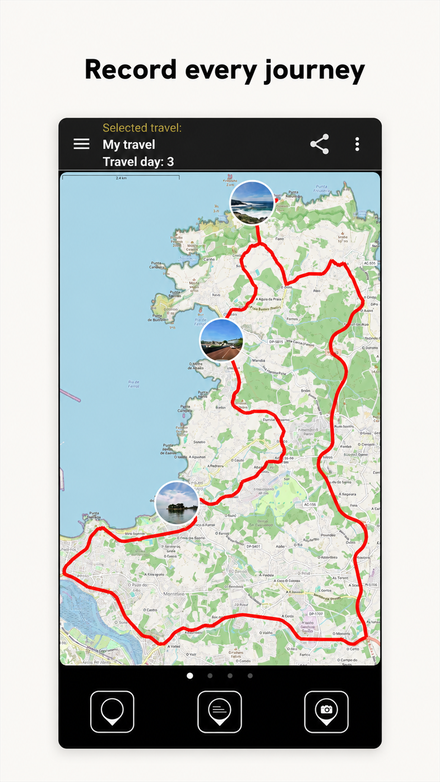 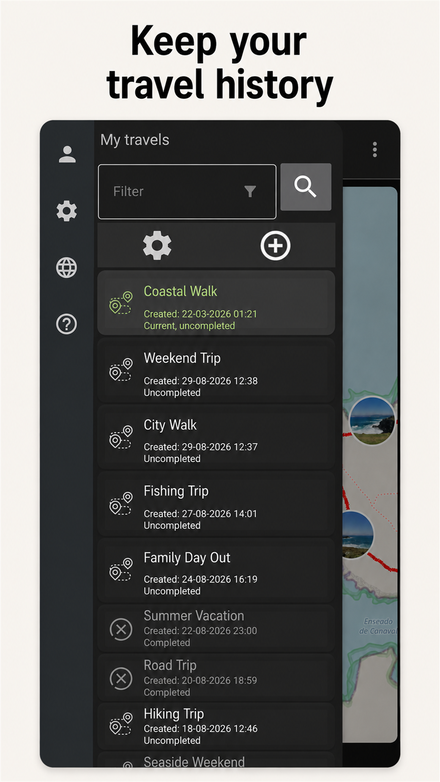 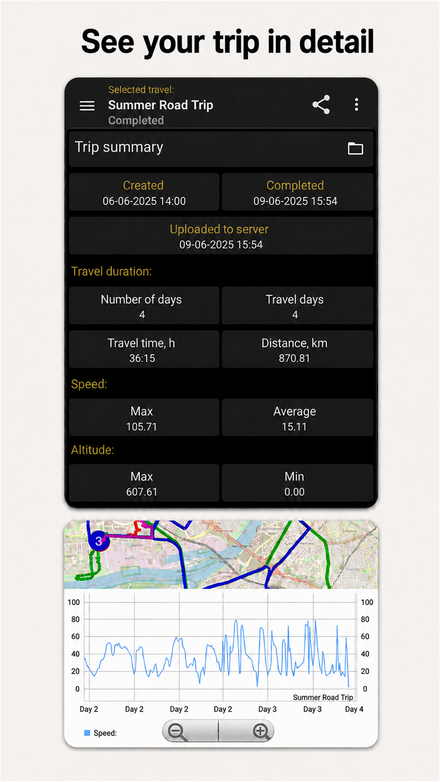 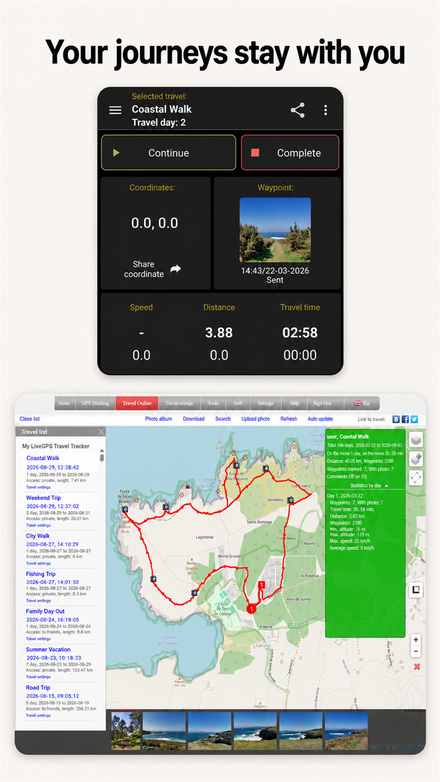
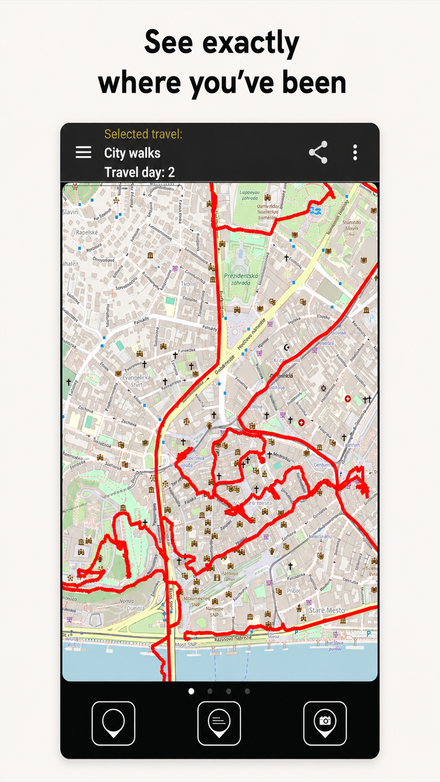 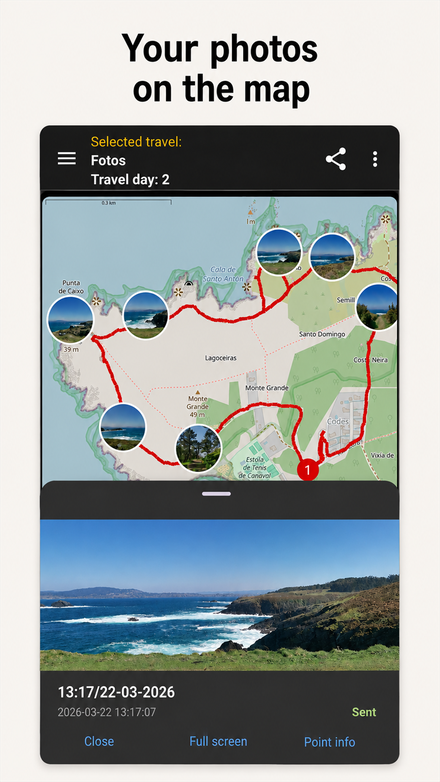 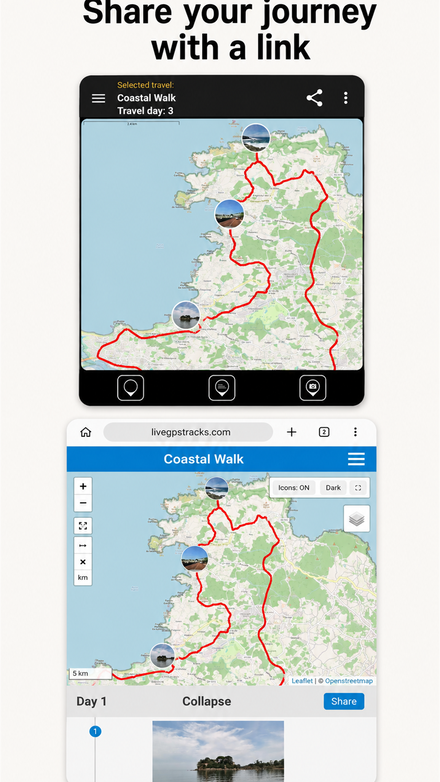
- The top of the screen shows the current journey name, which is also displayed in Travel Online. Tap the name to change it.
- The Share journey button sends the link to friends through social networks, e-mail or SMS.
- The Start journey, Pause and Finish buttons control recording.
- The GPS indicator shows signal status: yellow when coordinates are unavailable, green when a signal is present and red when recording is off.
- The odometer shows speed, distance and time.
- Data transfer shows the latest upload time and number of sent archives. Manual upload immediately sends all prepared tracks.
- Waypoints: quick automatic point, named text point and photo point.
Where to view the results
The Travel Online section displays the traveled route on the map together with waypoints and photos.
It also provides a link you can share so friends can follow the journey in real time.
Version history
Changes in version 4.4.0
- Regional settings for the application has been added
- Bugs have been fixed
Changes in version 4.2.1
- The ability to add/remove to friends has been added
- The wizard for setting up background work at first startup has been added
- Bugs have been fixed
Changes in version 4.2.0
- Synchronisation of the country selected in the app with the country of the entered account has been added
- The ability to receive alerts from the platform side has been added
- Incorrect operation of the app when sending data on long travels (more than 15 days) and poor cellular connection has been fixed
- The bug in search for send log in file manager has been fixed
- The bug with clearing previous value in point name field during creation has been fixed
- Bugs have been fixed
Changes in version 4.1.0
- Added the ability to upload a track file with waypoints
- Bugs has been fixed:
- - with the offset of the photo point from the real position when creating a description in active motion mode
- - in displaying the wrong number of photo points when grouping on the map
- - with displaying current time and distance on the main screen for Android 11+
- - with upside down photos when sending to Telegram
- Changes have been made to the autostart module of the application for launching on head devices
- Bugs have been fixed
Changes in version 4.0.0
- The ability to post photos (automatically or manually) to social networks and messengers has been added
- The time format for uploading in gpx has been adjusted in accordance with the standard
- Distance discrepancy between track and gpx file has been fixed
- Bugs have been fixed
Changes in version 3.9.1
- Fixed bug with sending photos with jpeg file extension
Changes in version 3.9.0
- The ability to edit travel's track has been added
- Bugs have been fixed
Changes in version 3.8.0
- Icons for creating travels and synchronization with the site in the side menu have been changed
- Color indication and text information of the travel status (current, unsent data, deletion on the site) have been added
- The ability to take a photo with the volume button (the camera built into the application) has been added
- The ability to change the color and thickness of the track on the map has been added
- The movement icon on the map now displays the direction of movement
- Checks and changed the indication in the list, if the travels was deleted on the site, have been added
- Mass sending of geopoints (geopoints screen) has been added
- The ability to quickly make a travel current (three-dot menu in the travel info line) has been added
- The ability to send photos from the gallery has been improved
- Bugs have been fixed
Changes in version 3.7.1
- Bug with incorrect size of photos created through the Camera app has been fixed
- Bug with uploading photos from gallery on Android 11-12 has been fixed
- Bugs have been fixed
Changes in version 3.6.0
- The ability to exit the application by double-clicking has been added
- The back button on additional screens now returns to the main screen instead of exiting the application
- Interface elements has been improved:
- increased font sizes on some screens
- increased areas of click of some elements
- The ability to view the journey on the website has been added
- Bug with unloading travel track to file has been fixed
- Bug with loading photo from gallery has been fixed
- Bugs with rotating photos have been fixed
- Bugs have been fixed
Changes in version 3.5.0
- Login/registration module has been improved
- The ability to recover password has been added
- The ability to change the orientation of the photo has been added
- Work on Android 11 has been optimized
- Bugs have been fixed
Changes in version 3.4.1
- Setting "Background settings" - settings options are separated by Android OS version
- Privacy Policy has been added
- A bug with slow screens has been fixed
- A bug with the freezing of the coordinate collection service after stopping the app has been fixed
- Bugs have been fixed
Changes in version 3.4
- Application name has been changed. New name "LiveGPS Travel Tracker"
- Application interface has been changed
- A bug with unloading the travel track to a file with a large amount of uploaded data has been fixed
- A bug with duplicate trips when there is no Internet connection has been fixed
- Bugs have been fixed
Changes in version 3.3
- The ability to download your travels with all data from the site has been added
- Local travel search has been added
- Set of maps for viewing the travel track have been extended
- The sign of the end of the trip has been added
- Working with maps have been improvement
- Bugs have been fixed
Changes in version 3.2
- Display of points on the map has been added
- The ability to create photo points with application camera has been added
- Bugs have been fixed
Changes in version 3.1
- The ability to view and edit points has been added
- The ability to load photos from gallery has been added
- The ability to change maps (OSM, Bing, MapsForge) has been added
- The ability to download offline map MapsForge has been added
- The ability to replace the password from the account on the site with a PIN code with customizable levels of capabilities has been added
- Instructions for configuring the Android system version 7 and above for the correct work of the application in the background have been added
- Adaptive track algorithm for data collection has been fixed
- Bugs have been fixed
Changes in version 3.0
- The ability to synchronize travel with the website has been added
- The ability to edit all travel settings in the application has been added
- The ability to create photo points without starting tracking has been added
- Travel statistics has added
- Display of the travel track on the map has been added
- Split travel on days has been introduced
- The format for sending data to the server has been changed
- Travel storage format has been changed
- Completely redesigned the principle of saving GPS track points
- Тhe ability to separately send track and photo points has been added
- The application is adapted to work with Android 8+
- Technical and send data logging have been expanded
- Calculations of all odometers (distance, time) have been reworked
- Ability of multilingual has been added
- Translation of the application into English has been added
- Mechanism for creating public travel links has been redesigned
- The ability to upload a travel track to a file has been added
Changes in version 2.6
- Added a photo-point widget;
- Added support for Android 6 and newer;
- Moved server communication to HTTPS;
- Added an option to copy photos to the album;
- Removed SMS sending to the website.
Changes in version 2.5
- Improved background-process reliability;
- Added update checks and version change lists;
- Improved startup after reboot.
Changes in version 2.4
- Added registration from the app;
- Added folder selection and technical logging;
- Changed minimum automatic-upload thresholds;
- Improved password encryption and coordinate storage;
- Fixed errors.
Changes in version 2.3
- Added point creation without a GPS signal;
- Fixed photo loss when creating several points at one location.
Changes in version 2.1
- Updated the design;
- Added names and descriptions for photo points;
- Added descriptions and icon selection for text points;
- Added link sharing through social networks, e-mail and SMS.
Changes in version 1.5.2
- Added support for external GPS devices;
- Added a notification indicator and additional coordinate validation;
- Fixed commas in point names.
Changes in version 1.5.1
- Reworked file-size-based sending and background-service checks;
- Fixed crashes during packing, exit and disk-mode connection;
- Fixed battery level, manual sending and track order on poor connections;
- Fixed the manual-send dialog, screen rotation and GPS indicator on Android 4.x.
Changes in version 1.5
- Completely reworked background coordinate reading and writing;
- Added optional startup after reboot and a password for settings;
- Added file-size-based sending and a log that can be e-mailed;
- Updated the main screen, manual upload and information table interface;
- Added website display of battery level, sending type and interval;
- Fixed multi-day track grouping and USB connection crashes.
Changes in version 1.3
- Added coordinate sending by SMS;
- Updated the interface and added speed, distance and time odometers;
- Tracks in a group are now displayed as one continuous line;
- Fixed backlight behavior, unexpected shutdowns and GPS reading.
Feedback
If you want to suggest some new function or found an error, please, write us Our Email support@livegpstracks.com
|
 |